
The Best Free 3D Scanner App for iPhone in 2026 (No Subscription Required)
You've burned $49.99/year on Scandy Pro to unlock exports, paid $0.99 per scan on Bellus3D, or watched a Polycam upload spin for 20 minutes — and you're still hunting for a best free 3d scanner app that actually exports what you need. The phrase has become a marketing trap. Most apps labeled "free" gate the export, lock the format, or ship your scan data to a server you don't control. According to 3DWithUs, Scandy Pro charges $1.99/week up to $49.99/year for full export functionality, and Bellus3D charges $0.99 per exported model — pricing structures that punish anyone scanning more than four objects a month.
This article cuts through that. You'll get a decision framework covering on-device versus cloud processing, the four capture modes inside Voxelio (Mesh, Point Cloud, Pose+Video, MultiCam), format compatibility across OBJ/USDZ/PLY/STL, a head-to-head spec comparison with Polycam, Scaniverse, and KIRI Engine, and a 48-hour test plan you can start tonight. Voxelio is the recommendation — but Section 5 is honest about where it loses to a $20,000 Artec Leo, and where KIRI Engine genuinely outpaces it. Use the framework, run the test, decide for yourself.
Table of Contents
- Why "Free" 3D Scanner Apps Usually Aren't
- The Four Capture Modes Decoded
- Voxelio vs. Polycam vs. Scaniverse vs. KIRI Engine
- From Launch to Export in Under 5 Minutes
- When Voxelio Wins, and When You Need a Different Tool
- Setup, Compatibility, and the Pre-Scan Checklist
- Your 48-Hour Test Plan
- Quick Answers: Sunlight, Editing, Whole-House Scans, and Android
Why "Free" 3D Scanner Apps Usually Aren't
There are four cost structures hiding inside the word "free." If you've ever installed an app from the App Store and discovered the export button greyed out, you've met at least one of them.
The subscription-disguised-as-free. Scandy Pro downloads for nothing. Then it asks you to subscribe to actually save anything. According to 3DWithUs, full export functionality requires $1.99/week or up to $49.99/year. For a hobbyist scanning four objects a month — a broken bracket, a coffee mug, two figurines — that's roughly $50/year for what should be a one-time output. The download is free. The product is not.
Per-export microtransactions. Bellus3D takes the opposite path: scan for free, pay to export. 3DWithUs documents the $0.99-per-scan unlock fee. The math punishes volume. 100 exports per year is $99 — already higher than most subscription competitors. An e-commerce seller running 20 SKUs through a scanner each week would burn roughly $1,000/year on export fees alone. The pricing model is designed for users who scan rarely and stop asking questions; it falls apart the moment scanning becomes a workflow instead of an experiment.
The cloud tax. Per Artec 3D, cloud-based photogrammetry apps — KIRI Engine being the most prominent — introduce upload time, server queues, and data-privacy exposure. The tactical reality: a 500MB scan pushed over hotel Wi-Fi can sit for 15–30 minutes before processing even begins. For an architect documenting a job site with a client NDA, or a robotics researcher scanning inside a controlled facility, sending raw spatial data to a third-party server isn't just slow — it may be contractually prohibited. The cost isn't dollars. It's the scan you can't finish until you're back on stable internet.
The "free with limits" trap. Polycam offers a genuine free tier. But OBJ and USDZ exports — the formats most downstream tools actually need — are gated behind paid plans, a fact HP Academy flags when comparing it against fully free alternatives. You only discover the gate after you've already invested 10 minutes capturing a scan. The friction is intentional.
Free should mean zero cost to download, zero cost to export, zero cloud dependency, zero feature gates. Anything less is a delayed invoice.
What "free" should actually mean is structural, not promotional. Zero cost to download. Zero cost to export, in every format your downstream pipeline supports. Zero cloud dependency, so the scan you capture on a job site is the scan you can hand over before you leave. Zero feature gates between the capture and the file.
Voxelio meets all four conditions. So, in fairness, does KIRI Engine on its current free tier — the KIRI CEO confirmed on YouTube that scan and export limits were removed because rate-limiting wasn't driving meaningful revenue. The structural difference between the two is processing location: KIRI is cloud photogrammetry, Voxelio is on-device LiDAR. That distinction determines whether your scan finishes in 30 seconds or 30 minutes, and whether your data ever leaves the device.
The Four Capture Modes Decoded
Voxelio ships four capture modes — Mesh, Point Cloud, Pose+Video, and MultiCam — and choosing the wrong one wastes scan time and produces files your downstream tool can't read. Each mode targets a specific pipeline. The outputs map directly to the standard mobile 3D formats — OBJ, PLY, STL, USDZ — that Artec 3D identifies as the interchange formats for CAD, DCC, and AR workflows.
| Mode | Best For | Native Export | Precision Profile | Skip It If |
|---|---|---|---|---|
| Mesh | E-commerce, 3D printing, CAD reference, AR viewers | Textured OBJ, USDZ | ±1–2cm | You need raw spatial data without baked textures |
| Point Cloud | Architectural as-builts, reverse-engineering, volumetric analysis | Colored PLY | ±0.5–1cm | You need a watertight surface for printing |
| Pose+Video | NeRF training, SLAM datasets, photogrammetry pipelines | HEVC + camera pose JSON | Camera-pose accurate | You want a finished mesh out of the box |
| MultiCam | Dense reconstruction, complex geometry, heritage scanning | Multi-angle fused mesh | Centimeter-level | You're scanning a single small object (overkill) |
The E-commerce Seller. A furniture marketplace listing converts 30–40% better with a rotatable model than a flat photo. Use Mesh mode. Walk a 360° arc around the product at 30cm/sec, finalize the capture, export USDZ. Drop the file into Shopify's native 3D viewer or the Amazon AR product page. The whole capture-to-listing pipeline runs about 8 minutes per SKU once you've practiced — and because the export is USDZ, Apple Quick Look previews it without any conversion step.
The Architect Measuring As-Built Conditions. Point Cloud mode produces a colored PLY with ±0.5–1cm spatial fidelity — appropriate for capturing a room's actual dimensions before retrofitting, designing a built-in, or documenting deviation from drawings. Import directly to Rhino or Revit via PLY-to-NURBS workflows, or pull into CloudCompare for volumetric analysis. This is the right mode for the architectural scanning tutorial workflow most field surveyors run.
The Robotics Researcher. Pose+Video mode is the one most apps don't ship. You get an HEVC video file plus a JSON sidecar with frame-accurate camera extrinsics. That pairing is exactly what NeRF training and SLAM 3D scanning workflow pipelines expect as input — raw frames with known camera poses, ready for Instant-NGP, Nerfstudio, COLMAP refinement, or custom SLAM evaluation. No mesh required; the point of this mode is to skip Voxelio's reconstruction and use the raw data.
The Forensic Documentarian. MultiCam fuses multiple capture passes into a single dense reconstruction. Use it for incident scene documentation, heritage architecture with complex geometry, or any subject where a single-pass Mesh capture leaves too many occlusion holes. The tradeoff is capture time — expect 2–4× a Mesh scan. The benefit is coverage you can defend in a report.
Voxelio vs. Polycam vs. Scaniverse vs. KIRI Engine
You've probably already tried at least one of these. The structural differences sit in two layers: the cost model and the processing model. Surface-level marketing makes them sound interchangeable. They aren't.
Scaniverse's App Store listing describes the app as "free, fast, unlimited on-device 3D Gaussian splatting" — a strong on-device story and one of the few apps offering splat-based output natively. KIRI Engine's basic platform is fully free per HP Academy, which lists it as their preferred option for automotive and motorsport scanning, with Polycam as "a close second." Polycam's free tier exists but, per the same HP Academy review, advanced exports are paid. 3DMakerPro's 2026 buyer's guide ranks Polycam and Scaniverse among the top mobile scanners, confirming their market position.
The technical split is sharper than the pricing split. KIRI is cloud photogrammetry per Artec 3D. Scaniverse processes on-device. Polycam is cloud-dependent for most pipelines. Voxelio is fully on-device.
| Spec | Voxelio | Polycam | Scaniverse | KIRI Engine |
|---|---|---|---|---|
| Base cost | Free, no subscription | Free + paid tiers | Free | Free basic platform |
| Export gating | All formats free | OBJ/USDZ require paid tiers | Free unlimited on-device | Free unlimited (per KIRI CEO 2026) |
| Processing location | 100% on-device | Cloud-dependent | On-device (Gaussian splatting) | Cloud photogrammetry |
| Native exports | OBJ, USDZ, PLY, HEVC + pose | OBJ, USDZ (paid) | OBJ, USDZ, splats | OBJ, STL, PLY (CAD-clean) |
| iPhone requirement | iPhone 12 Pro+ (LiDAR) | iPhone with ARKit | iPhone 12+ | Any modern iPhone |
| Offline capture + export | Yes, fully offline | Limited | Yes | Capture offline; export needs cloud |
| Cross-platform | iOS only (Android planned) | iOS + Android | iOS + Android | iOS + Android + desktop |
On-device processing isn't a marketing detail — it's the difference between scanning a job site and explaining to a client why their floor plan data sat on someone else's server.
Three things matter when reading the table. First, on-device processing is a structural advantage, not a feature. No upload queue, no privacy exposure, full offline capability in a basement, a warehouse, or anywhere Wi-Fi is unreliable. Artec 3D's cloud-friction observation about server queues and data-privacy exposure isn't theoretical — it's the difference between handing a USDZ to a client before you leave the site and emailing them a link three hours later.
Second, format neutrality matters more than the app interface. OBJ, USDZ, and PLY are accepted by the vast majority of CAD, DCC, and AR pipelines. An app that gates these behind a paid tier — or exports a proprietary format — forces lock-in regardless of how good the capture is.
Third, the honest competitive read: KIRI Engine is genuinely strong for engineering. HP Academy explicitly notes its exports import "cleanly into CAD software like Fusion 360" and that the meshes are "accurate enough for designing custom parts." If your workflow is automotive/motorsport reverse-engineering and you don't mind cloud processing, KIRI is a serious choice. The edge here is workflow speed and offline capability, plus the four-mode breadth (especially Pose+Video for researchers), not photogrammetry density at peak quality.
From Launch to Export in Under 5 Minutes
The capture loop is short. No login, no account, no upload. Six steps from cold install to a file open in your downstream tool.
1. Launch and select capture mode. First launch triggers an ARKit/camera permission request — required for spatial reconstruction. The mode selector defaults to Mesh. Tap to switch to Point Cloud, Pose+Video, or MultiCam if your workflow needs it. Re-reference Section 2 if you're not sure.
2. Frame and start the scan. Position the iPhone 0.5–2m from the subject. Tap record. ARKit begins mesh densification immediately, and the green overlay shows you what's covered in real time. Per Artec 3D, real-time on-device meshing is now standard on LiDAR-equipped iPhones — that's what makes the live preview possible. No estimate, no progress bar guessing.
3. Walk the perimeter or rotate the object. For objects: 360° walk-around at roughly 30cm/sec, slow enough that the texture frames don't motion-blur. For rooms: walk the perimeter, then re-cover anything the live overlay flags red. Occlusion shows up while you're still on-site — you fix it now or fix it never.
4. Finalize the scan. Tap stop. Voxelio runs keyframe texture baking entirely on-device. Typical processing for a chair-sized object: 15–30 seconds on an iPhone 14 Pro. No upload, no queue, no "processing in the cloud" notification an hour later.
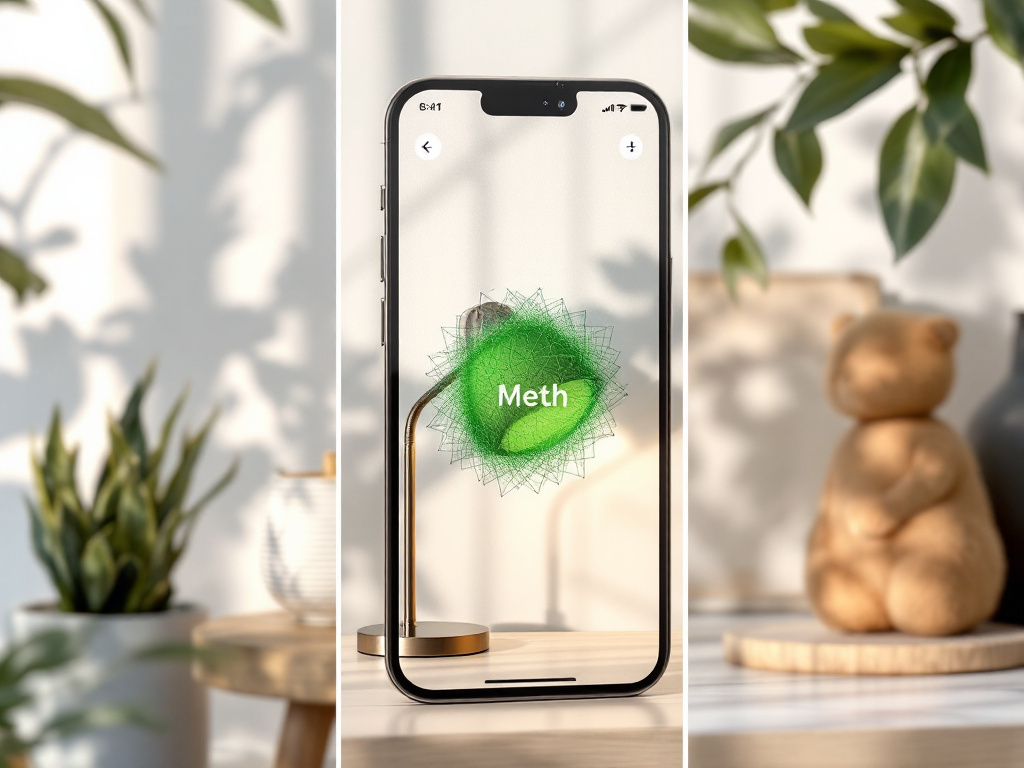
5. Choose your export format. Format selection is the only step where the wrong choice costs you a re-scan. Decision logic:
- USDZ → AR viewers, Apple Quick Look, e-commerce browser embed
- OBJ → Blender, Fusion 360, Rhino, Cinema 4D
- PLY → CloudCompare, MeshLab, point-cloud analysis
- HEVC + pose JSON → NeRF, SLAM, photogrammetry research
6. Save to Photos or Files. No cloud upload prompt. File sizes typically run 50–500MB depending on mode and detail level. From the Files app, AirDrop directly to a Mac, email a USDZ to a client, or sync to whatever tool you're handing it off to. For a deeper walkthrough of the full capture-to-export pipeline, see the full 3D scanning process explained.
If a scan fails mid-capture: keyframes autosave. If you cancel partway through, you can either resume from the last good state or export the partial coverage you already captured. Lost-scan recovery is the part most "free" apps quietly omit.
When Voxelio Wins, and When You Need a Different Tool
A free app you can actually finish a job with beats a paid app you're still arguing with at 11pm. But that only holds when you know where the tool's edges are. Here are five places it wins and five places it loses.
Where Voxelio Wins
- Real estate listing scans. 3–4 rooms in 30 minutes total, USDZ-ready for Zillow, MLS, or any AR-capable listing platform. The full architectural scanning tutorial walks the workflow end-to-end.
- E-commerce product capture. Replace flat product photos with rotatable USDZ models. Showing scale and material accurately reduces return rates on size-sensitive categories like furniture and apparel accessories.
- Reverse-engineering broken parts. Scan a snapped bracket, export OBJ, model the replacement in Fusion 360. HP Academy confirms mobile scans are now accurate enough for designing custom parts when paired with appropriate post-processing discipline.
- CV and robotics research datasets. Pose+Video mode exports frame-accurate camera extrinsics for NeRF training and SLAM evaluation. Most apps don't offer raw video + pose as a primary output — they assume you want the mesh.
- Hobbyist 3D printing references. Scan a figurine, a custom-fit grip, an obsolete part. Export as OBJ or STL, slice in Bambu Studio or PrusaSlicer, print. Closed loop, zero subscriptions.
Where You'll Need a Different Tool
- Sub-millimeter metrology. Artec 3D explicitly notes professional handheld scanners outperform phones on accuracy, speed, and reliability for demanding metrology. Use Artec Leo, Creaform, or a similar dedicated system if your tolerances are tighter than ±1mm.
- Survey-grade outdoor work. For sites larger than ~50m, terrestrial laser scanners (Leica BLK360, Faro Focus) or drone LiDAR are the right tool. Phone-based ARKit drift accumulates over long walks.
- Long-range distance capture. LiDAR on iPhone is tuned for indoor and near-field work. Beyond 5m, handheld scanners and survey equipment dominate.
- Photogrammetry-density reconstruction. RealityCapture or Agisoft Metashape with a DSLR rig produce denser, more accurate meshes than any mobile app — including KIRI Engine. The bottleneck is your time, not the tool, but if peak density matters, the pipeline is different.
- Regulatory or legal-grade documentation. Both Artec 3D and HP Academy stress that mobile apps are not suitable for regulatory-critical measurements. Forensic reconstruction admissible in court, structural compliance scans, and certified as-built drawings require survey-grade equipment.
Setup, Compatibility, and the Pre-Scan Checklist
Setup takes less than 2 minutes. Most failed first scans come from skipped checks, not from the app itself.
Hardware Requirements
- iPhone 12 Pro or later — A14 Bionic plus the rear LiDAR sensor required for ARKit mesh reconstruction
- iOS 16 or later for full USDZ and HEVC export support
- ~500MB free storage per scan; budget 2–3GB if you plan to use Pose+Video heavily
- Standard (non-Pro) iPhones do not have LiDAR and are not compatible. Note that some apps like Scandy Pro work with the front-facing TrueDepth sensor on iPhone X and newer per 3DWithUs, but those workflows are limited to subjects within face-scan range. Voxelio uses the rear LiDAR, which is Pro-model only.
Installation
- Download from the App Store (search "Voxelio")
- No account, no email, no login required
- First launch requests ARKit and camera permission — mandatory
- Files default-save to Photos and Files app
Pre-Scan Checklist (8 Items)
- Clean the iPhone rear camera lens. Fingerprint smudges destroy texture quality. A quick microfiber wipe before every session.
- Test indoors with even, diffuse lighting first. Harsh direct sunlight blows out point cloud color and overexposes texture frames.
- Ensure 2–3m of clear walking path around the subject. You need room to circle the object without bumping furniture mid-capture.
- Remove or stabilize moving objects in the background. Anything moving adds noise to point clouds and confuses ARKit's spatial anchoring.
- Close background apps on iPhone 12 Pro. The A14 throttles under sustained ARKit load if Safari, Mail, and Spotify are all running.
- Pick the right mode before starting. Switching modes mid-job means starting the capture over. Reference Section 2 if you're unsure.
- Plug into power for Pose+Video research captures. The mode is CPU-intensive and battery drains fast on multi-minute sessions.
- Skip reflective subjects, or matte them first. Glass, mirrors, polished metal — ARKit cannot reconstruct mirror-class surfaces. Dust with matte spray or skip the capture.
Common Gotchas
- Mirrors and glass produce holes or phantom geometry. No app fixes this; the physics doesn't allow it.
- Walking too fast (>50cm/sec) creates motion-blurred texture. Slow down. The capture is the bottleneck, not your time.
- Exports save to Files by default. Verify iCloud sync settings before assuming auto-backup is on.
- Pose+Video files are large — 1–3GB for a 5-minute session. Plan storage accordingly.
- For more detail on the underlying tracking that makes capture possible, see how real-time mapping works.
Your 48-Hour Test Plan
The fastest way to evaluate a 3D scanner app isn't reading another review. It's running three scans against your real workflow inside two days. Here's the plan.
Today (15 Minutes)
- Download Voxelio from the App Store
- Grant ARKit and camera permission on first launch
- Scan one small object within arm's reach — a mug, a charger, a succulent — in Mesh mode. 90 seconds max.
- Export as USDZ. Tap-and-hold the file in the Files app to preview in Apple Quick Look.
- Confirm: did the object look usable? If yes, you've already cleared the highest-friction step of every other "free" app — getting from capture to a viewable file.
Tomorrow (30 Minutes)
- Identify your real use case from Section 5 — e-commerce, architecture, research, fabrication
- Choose the matching capture mode from Section 2's table
- Perform a real production scan: a product SKU, a room corner, the broken part you've been meaning to replace. Follow the step-by-step scanning walkthrough if you need a reference.
- Export in the format your downstream tool actually needs — USDZ for AR viewers, OBJ for Fusion 360 or Blender, PLY for CloudCompare, HEVC + pose JSON for NeRF or SLAM
- Test the file inside your actual tool, not in isolation. The only meaningful quality check is whether the file works downstream.
Within 1 Week
- Run 3–5 production scans in your chosen mode
- Log what works — lighting conditions, walk speed, distance, subject prep
- Log what fails — occlusion, reflective surfaces, motion artifacts
- Run the cost comparison. What would you have paid Scandy Pro ($49.99/year per 3DWithUs), Bellus3D ($0.99/scan × your annual volume — roughly $99/year at 100 exports), or Polycam's paid tier for the same output?
- Decide: does this app replace your current tool, or fill a gap alongside it? Both are valid outcomes.
If You're Still Hesitant
- It's a free download with no account.
- A five-minute test costs nothing and produces a file you can open in any 3D viewer.
- Compare the USDZ output side-by-side with your current tool's output. If quality is 80%+ and cost is 100% lower, the decision is already made.
Quick Answers: Sunlight, Editing, Whole-House Scans, and Android
Does it work outdoors in bright sunlight? Mesh capture works in direct sun, but texture quality drops from overexposure. Point Cloud loses color fidelity — whites blow out. Best results come in overcast, golden hour, or shaded outdoor environments. Pose+Video is the most light-resilient mode because it preserves raw frames for downstream reprocessing in tools that handle exposure correction. Morning shade against north-facing walls is the most consistent outdoor texture data you'll get.
Can I edit a scan inside the app after capture? No. This is a capture tool, not a mesh editor. Hole-filling, smoothing, decimation, and retopology happen in downstream tools: Blender (free), Meshmixer (free), CloudCompare (free, point-cloud focused), or Fusion 360 (free hobby tier). HP Academy notes most mobile scans require "a bit of work" in post-processing — that's the industry norm, not a limitation specific to any one app. Plan for 5–15 minutes of cleanup per production scan.
Can I scan an entire house in one capture? Voxelio is optimized for rooms and objects, not full structures. A multi-room scan is feasible by capturing rooms individually and aligning them in CloudCompare or MeshLab using shared reference points (a doorway, a corner). For full-building documentation, terrestrial laser scanners — Leica BLK360, Faro Focus — or drone LiDAR remain the right tool. Phone-based ARKit drift accumulates over distances longer than a single room.
Is there an Android version? Not yet. The app is iOS-only as of 2026, with an iPhone 12 Pro minimum requirement, because it depends on Apple's LiDAR + ARKit stack. Android support is planned. If you're on Android today, Scaniverse and KIRI Engine offer cross-platform alternatives per HP Academy and Artec 3D — with the tradeoffs documented in Section 3's comparison table. Scaniverse keeps on-device processing on Android; KIRI Engine remains cloud-dependent.