Table of Contents
- What NeRF 3D Scanning Actually Is (And Why the Hype Misleads Half the Internet)
- Camera Pose Is the Bottleneck Nobody Markets — Here's Why It Decides Your NeRF Quality
- NeRF vs. Mesh vs. Point Cloud: Pick the Output Format Before You Press Record
- From iPhone Capture to Rendered NeRF: The 6-Step Workflow That Skips SfM
- NeRF vs. LiDAR vs. Photogrammetry vs. Structured Light: Honest Trade-offs at Every Price Point
- Where NeRF Quietly Fails: The Edge Cases Vendor Demos Never Show
- Your First NeRF Capture: A Decision Tree and 8-Step Action Plan
You've burned a Saturday running photogrammetry on a white-walled hallway that refused to converge. You've priced a Faro Focus and watched the quote come back at $40K plus training. You've hit Polycam's processing queue at 11 p.m. on a deadline. Then somebody on Twitter posted a NeRF flythrough of an apartment that looked like a Pixar render shot on an iPhone — and the comments claimed laser scanners are obsolete. That claim is half right, at best. NeRF 3D scanning is real, it works, and it produces output that traditional pipelines can't touch on photorealism. It also fails in ways the demos never show, and it depends on a single technical detail that most consumer apps quietly hide from you.
This piece is for the practitioner who has to ship something — a USDZ for a product page, a flythrough for a client pitch, a dataset for a SLAM paper, a reference mesh for a printed prop. The goal is to leave you with a working mental model of what NeRF is, what it isn't, and a workflow that takes you from an iPhone capture to a rendered novel view without uploading anything to a cloud or running a four-hour SfM job.
What NeRF 3D Scanning Actually Is (And Why the Hype Misleads Half the Internet)

Start with the definition the marketing skips. NeRF — Neural Radiance Fields — is a rendering technique, not a capture technique. The distinction matters because everything downstream of it depends on the distinction. According to Mildenhall et al.'s 2020 paper, the method "achieves state-of-the-art view synthesis results by representing a scene as a continuous 5D neural radiance field… given a set of input views with known camera poses." Read that sentence twice. The input is images plus poses. The output is a neural function you can query for novel viewpoints. There is no mesh in there. There is no point cloud. There is a learned function that, given a 3D point and a viewing direction, tells you the color and density at that location.
What NeRF actually consumes and produces, in concrete terms:
- Input: 20–200 images plus camera poses. Mildenhall's Table 1 shows real forward-facing captures using 20–62 views per scene; synthetic scenes use 100–200.
- Output: A trained neural network — typically 10–500 MB — that renders any viewpoint with pixel-perfect view synthesis.
- Original training cost: 29–36 hours on a single NVIDIA V100 for 200k iterations per scene.
- Modern training cost: Instant-NGP reports a >1,000× speedup, training in seconds to minutes on an RTX 3090, rendering at >60 FPS.
The Instant-NGP shift is what made mobile NeRF apps possible. David Luebke, NVIDIA's VP of Graphics Research, framed the implication clearly in the NVIDIA blog announcement: "If traditional 3D representations like polygonal meshes are akin to vector images, NeRFs are like bitmap images: they densely capture the way light radiates from an object or within a scene… Instant NeRF could be as important to 3D as digital cameras and JPEG compression have been to 2D photography."
That framing — bitmap vs. vector — is the cleanest way to think about it. A polygon mesh is a vector representation of geometry: edges, faces, normals, UV coordinates. A NeRF is a bitmap of appearance: a dense, view-dependent sample of how light leaves every direction at every point. You can render either to a 2D image, but they encode fundamentally different things.
What NeRF does not do, no matter what the vendor demo claims:
- It does not produce watertight geometry by default. Mesh extraction is an extra step with its own failure modes (PlenOctrees discussion).
- It assumes static scenes. Moving curtains, walking people, swaying foliage create floaters and ghosting, as Mip-NeRF 360 documents in its limitations section.
- It still fails on featureless, glass, and reflective surfaces. Polycam's own comparison video acknowledges this directly: NeRF is "more forgiving" than photogrammetry on these, but "not a magic bullet."
The bigger picture: the global 3D scanning market was $5.3 billion in 2022 with an 8.1% CAGR projected through 2030, according to packaging-and-industrials research firm Grand View Research. The growth is concentrated in AEC, manufacturing, and e-commerce — three markets where NeRF, mesh-based capture, and metrology-grade scanning each solve a different slice of the problem. Conflating them is the most common mistake you can make in this category.
NeRF is not a 3D scanner. It is a rendering engine that consumes whatever your scanner can give it — and the quality of that input decides whether your output is a photoreal asset or a blurry hallucination.
Camera Pose Is the Bottleneck Nobody Markets — Here's Why It Decides Your NeRF Quality
Every NeRF pipeline ever published assumes the same input: known camera intrinsics and extrinsics for every frame. When those poses are missing or noisy, your reconstruction degrades in non-linear, often catastrophic ways. This is the single most under-discussed fact in consumer NeRF marketing.
Chen-Hsuan Lin, lead author of BARF (ICCV 2021), states it directly: "Existing NeRF methods assume accurately known camera poses, and naïvely applying them to data with inaccurate poses leads to severely degraded reconstructions."
You have two practical paths to get those poses.
Path 1 — Post-capture Structure-from-Motion (COLMAP). Feature extraction, pairwise matching, bundle adjustment. According to Schönberger & Frahm (CVPR 2016), SfM on large image collections takes "hours to days," and it fails — often silently — in "textureless or repetitive" regions. This is why your photogrammetry pipeline mysteriously dies on a hallway.
Path 2 — On-capture pose tracking via ARKit. Fischer et al. (ISMAR 2021) measured ARKit translational errors of 1–3 cm over indoor trajectories, with angular errors of 0.5–2°. Good enough for consumer NeRF. Not good enough for CMM-style metrology.
Voxelio's Pose+Video mode writes ARKit poses to a JSON file during capture, frame-accurate, alongside HEVC video. Competitors like Polycam and Scaniverse capture images, then run SfM (often in the cloud, often slow, often silently brittle on low-texture scenes). The same principle drives real-time mapping and SLAM systems — pose is computed live, not reconstructed after the fact.

Pose Acquisition Methods — Trade-offs for NeRF Inputs
| Method | Pose Accuracy | Time to Pose-Ready Data | Fails On | Source |
|---|---|---|---|---|
| COLMAP SfM (post-capture) | Sub-pixel when it works | Hours to days on large sets | Featureless walls, repetitive textures, motion blur | Schönberger & Frahm 2016 |
| ARKit on-device (iPhone 12 Pro+) | 1–3 cm translation, 0.5–2° rotation | Real-time during capture | Long featureless corridors, fast motion | Fischer et al. 2021 |
| BARF joint optimization | Recovers from cm-scale error | Adds 2–10× training time | Severe initial pose error | Lin et al. 2021 |
| Manual pose annotation | Arbitrary precision | Days of human labor | Scales beyond ~50 images | N/A |
The practical implication runs deeper than a time savings. The reason mobile NeRF apps feel slow isn't the NeRF training itself — it's the SfM preprocessing step the user never sees. Upload happens. A queue appears. Twenty minutes later, sometimes two hours later, results emerge. Sometimes they don't, and the app shrugs. With a Pose+Video capture, the JSON pose file is already in a format compatible with Nerfstudio's transforms.json schema after a minor conversion. You go from capture to training, on your own machine, with poses ARKit already computed in real time.
Three workflows this matters for the most:
- Iterative capture sessions — when you discover a bad scan, retrying SfM is expensive; retrying capture is free.
- Featureless interior scans — the exact scenes where SfM silently fails are scenes ARKit handles, because ARKit fuses IMU data with visual features rather than depending on visuals alone.
- Research workflows — when pose ground truth matters for benchmarking, you want it written at capture time, not estimated after the fact.
The honest trade-off: ARKit's 1–3 cm error is unacceptable for metrology in ISO 10360-8 territory, where coordinate measuring systems are tested for sub-millimeter probing accuracy. But it sits well below the noise floor of NeRF's volumetric representation. Barron et al. in Mip-NeRF 360 note that NeRF literature rarely claims metric accuracy better than centimeter-scale without additional constraints anyway. For the NeRF use case, ARKit poses are already at the resolution the technique can exploit.
NeRF pipelines live or die on camera pose precision. A smartphone with frame-accurate ARKit tracking beats a 100-megapixel camera with no pose data.
NeRF vs. Mesh vs. Point Cloud: Pick the Output Format Before You Press Record
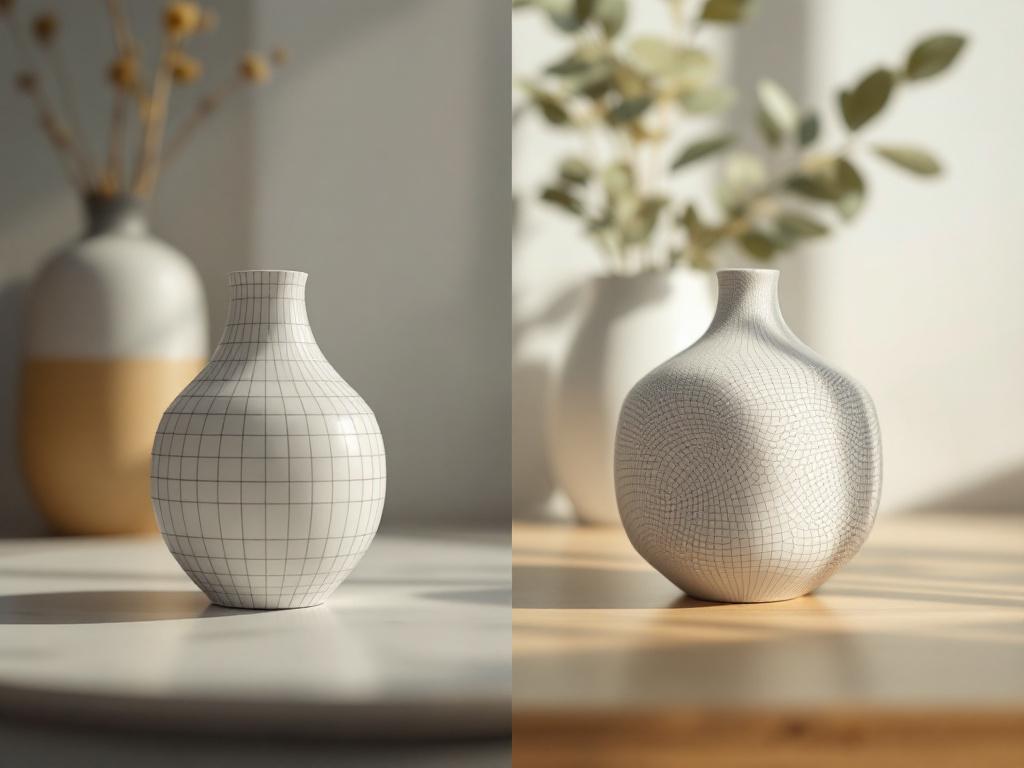
Most 3D capture failures aren't capture failures. They're format mismatches. People train NeRFs when they need CAD-ready meshes. People export point clouds when they need photoreal renders. People ship USDZ files when they needed metrology. Decide your output before you press record, because each format imposes different demands on the capture.
Output Format Decision Matrix
| Format | Geometric Fidelity | Photorealism | Storage | Tooling |
|---|---|---|---|---|
| Textured Mesh (OBJ/USDZ) | Cm-scale (ARKit mesh) | Texture-baked from keyframes | 50–500 MB | Blender, Unity, Unreal, AR Quick Look |
| Point Cloud (PLY, colored) | Cm-scale, raw | None (color per point only) | 100 MB–2 GB | CloudCompare, MeshLab, CAD |
| Neural Radiance Field | Volumetric, no explicit surface | Pixel-perfect view synthesis | 10–500 MB (trained model) | Nerfstudio, Instant-NGP, Luma |
| Video + Pose Metadata | N/A (raw input) | N/A | 1–10 GB | Feeds NeRF, SLAM, photogrammetry |
The four cases for each:
- Mesh when you need geometry today. The Mesh capture mode in the app uses ARKit's scene reconstruction plus keyframe texture baking. Output is OBJ or USDZ — drop it into Blender, ship it to a USDZ viewer on a product page, import to Unity for an AR pipeline. Geometric accuracy sits in the 2–10 cm range. Not metrology. Ample for AR preview, e-commerce product viewers, architectural massing, and game environment blockouts.
- Point cloud when you need measurement, not appearance. A colored PLY export opens directly in CloudCompare for distance measurement, plane fitting, or volume calculation. Point clouds preserve raw geometric truth without surface reconstruction assumptions — critical for reverse engineering, as-built verification, and any workflow where you can't afford a meshing algorithm to invent geometry you didn't capture.
- NeRF when you want photorealistic novel views and don't need a mesh. Pose+Video output feeds directly into Nerfstudio or Instant-NGP. The trained model renders any viewpoint with view-dependent realism — specular highlights move correctly, soft shadows behave correctly, translucency approximates correctly. You sacrifice explicit geometry for view-dependent appearance. This is the right tool for archival capture, marketing renders, and CV research where appearance matters more than measurement.
- Pose+Video when you're feeding a research pipeline. Both Pose+Video and MultiCam modes give NeRF, SLAM, and photogrammetry pipelines exactly what they want: HEVC frames plus frame-accurate poses, no SfM step required. This is the raw data layer underneath every downstream representation. Nerfstudio's documentation recommends 100–300 images per scene, and a 60-second video at 4 fps lands directly in that window.
Most 3D capture failures aren't capture failures. They're format mismatches — training a NeRF when you needed a mesh, or exporting a point cloud when you needed a render.
From iPhone Capture to Rendered NeRF: The 6-Step Workflow That Skips SfM
The end-to-end pipeline, with concrete time budgets at each step.

Step 1 — Capture in Pose+Video Mode (45–90 seconds). Open the app, select Pose+Video. Move smoothly around the subject in a continuous arc. Nerfstudio's docs recommend even coverage with sufficient parallax. Avoid sudden rotation — ARKit drift increases with fast motion. For an object: orbit 360°, plus a high arc and a low arc. For a room: walk the perimeter twice at different heights. The same lighting and coverage discipline that defines a well-run 3D scanning studio applies directly to NeRF capture.
Step 2 — Export HEVC + Pose JSON (under 2 minutes). The app writes an MP4/HEVC video and a JSON file containing per-frame camera intrinsics and extrinsics. Transfer via AirDrop, the Files app, or USB-C. No cloud upload. No queue. Files sit on your laptop in under two minutes.
Step 3 — Extract Frames and Match to Pose JSON (5–10 minutes). Use ffmpeg to extract 100–300 frames evenly. A one-liner:
ffmpeg -i capture.mp4 -vf "fps=4" frame_%04d.jpgThat gives roughly 180 frames from a 45-second capture, sitting in the sweet spot Nerfstudio recommends. Then convert the pose JSON into Nerfstudio's transforms.json format — per-frame transformation matrix plus shared intrinsics. Voxelio's documentation provides the exact mapping; conceptually, it's a coordinate-frame swap and a key rename.
Step 4 — Choose Your NeRF Implementation.
- Instant-NGP (fastest): 5–60 seconds training on RTX 3090 for small scenes, real-time rendering at >60 FPS per Müller et al., SIGGRAPH 2022. Best for quick iteration and previewing.
- Nerfstudio (most flexible): GUI, 30 min–4 hour training depending on backbone, exports to multiple formats including mesh extraction.
- Mip-NeRF 360 (highest quality on unbounded scenes): Hours of training, best for outdoor or 360° captures where the original NeRF formulation breaks down.
Step 5 — Train (5 minutes to 24 hours, depending on backbone). Feed transforms.json plus the frame folder. Monitor PSNR and validation loss. Stop when validation plateaus. A typical 200-frame indoor scene takes 1–2 hours on consumer GPU hardware using Nerfstudio's nerfacto model.
Step 6 — Render Novel Views. Define a camera trajectory in Nerfstudio's web viewer — orbit, flythrough, dolly, custom keyframed path. Export as MP4, image sequence, or share an interactive viewer link. This is the moment the NeRF earns its training cost: viewpoints you never captured render as if you had.
The decisive advantage is what's not in this workflow: the COLMAP step. In a typical mobile-NeRF pipeline using Polycam or Luma, you capture images, upload to cloud, the service runs SfM (30 min to 2 hours, sometimes failing silently on low-texture scenes), then trains NeRF. With the Pose+Video pipeline and Nerfstudio, you go directly from capture to training, on your own machine, with poses that ARKit already computed in real time. For a 200-frame indoor scan, this collapses a 3–4 hour workflow into roughly 90 minutes.
The honest trade-off: ARKit's 1–3 cm pose error (Fischer et al. 2021) is worse than COLMAP's sub-pixel best case. For scenes where SfM converges cleanly — a textured outdoor sculpture in good light — COLMAP will produce marginally sharper NeRFs. For featureless scenes where SfM fails entirely, ARKit wins by completing the job at all. The pragmatic answer for most working captures: the marginal sharpness loss is invisible at typical viewing distances, and the time savings buy you the freedom to iterate.
NeRF vs. LiDAR vs. Photogrammetry vs. Structured Light: Honest Trade-offs at Every Price Point
This is the section where readers commit to a tool. Be ruthless about where NeRF loses.
Capture Method Head-to-Head
| Dimension | NeRF (iPhone + Nerfstudio) | Terrestrial LiDAR | Photogrammetry | Structured Light |
|---|---|---|---|---|
| Capture time | 45–90 sec handheld | 2–15 min per stationary scan | 5–15 min handheld | 30 sec–2 min per setup |
| Geometric accuracy | Cm-scale, view-dependent | 1–3 mm at 10 m | 1–5 mm typical | 0.01–0.03 mm |
| Photorealism | Pixel-perfect novel views | Texture-mapped, good | Texture-mapped, good | None (geometry only) |
| Featureless surfaces | Degrades | Succeeds (active sensor) | Fails | Succeeds |
| Hardware cost | $0 (iPhone 12 Pro+) | $30K–$80K | $0 software | $50K–$200K |
Numeric values reference Faro Focus datasheet for terrestrial LiDAR, GOM ATOS Q datasheet for structured light, and Mip-NeRF 360 for NeRF's centimeter-scale ceiling. Standards relevant to each method: ASTM E3125-17 for optical 3D imaging performance, ASTM E57 for point cloud interchange, and VDI/VDE 2634 for structured-light probing deviation. NeRF has no equivalent standard — there is no agreed-upon procedure for evaluating NeRF metric accuracy across vendors.
NeRF wins when photorealism trumps geometric precision, your subject is texture-rich (interiors, organic objects, sculptures, environments with surface detail), and you want a complete workflow on consumer hardware. The reference observation here is Kerry Stevenson of Fabbaloo, after testing Luma's NeRF app: "Touching the new scan presents a very smooth 3D view of the scene, courtesy of the NeRF processing… It's quite different from depth scanning and structured light methods, but is superficially similar to photogrammetry in that you must take a series of optical images of a subject." That captures the right intuition — NeRF inherits photogrammetry's capture pattern but produces a fundamentally different output.
LiDAR wins when you need sub-centimeter accuracy on featureless surfaces (white walls, glossy industrial parts), you're producing as-built BIM models that have to register against survey control points, or you're working in an environment governed by ASTM E3125-17 or E57 deliverables. Active sensing doesn't care if your wall has texture. NeRF cares deeply.
Structured light wins when you're doing dimensional inspection. GOM ATOS systems referenced against VDI/VDE 2634 deliver 0.01–0.03 mm probing accuracy. NeRF is three orders of magnitude coarser. If a tolerance callout on a drawing is in play, NeRF is the wrong tool — full stop. The same constraint applies anywhere ISO 10360-8 coordinate measuring tests govern acceptance.
Photogrammetry-only wins when budget is zero, scenes are texture-rich, you don't mind SfM's slow and brittle preprocessing, or you're combining sources (drone footage, ground photos, archive imagery) where ARKit poses don't exist. For multi-source projects, photogrammetry's flexibility on input pipelines is genuine.
The hybrid that's emerging in practice: capture once in Mesh mode for immediate geometry, capture in parallel with Pose+Video using MultiCam for the NeRF render pass. One handheld session, two outputs, no SfM in either path. For e-commerce sellers, this means a USDZ for AR Quick Look on a product page and a NeRF flythrough for marketing — both from a 60-second pass. The same capture workflow drives downstream applications from digital fashion to waste-reduction pipelines in textile manufacturing.
The honest limitation: this stack is not replacing a Faro for a construction surveying firm. It is replacing the "good enough" mesh, the photogrammetry job that never finished, and the $50K scanner the team couldn't justify on a single project's budget.
NeRF is not a replacement for LiDAR. It replaces the "good enough" mesh and the $50K scanner the team couldn't justify — and that is a far more honest position than the marketing.
Where NeRF Quietly Fails: The Edge Cases Vendor Demos Never Show
The article earns trust by naming what marketing hides. Five failure modes you will hit if you work with NeRF long enough.
- Featureless surfaces still break NeRF, not just photogrammetry. A common myth: NeRF "fixes" the textureless-wall problem. It doesn't — it fails differently. NeRF still depends on multi-view appearance cues to recover density and color. The Polycam comparison video is explicit at the 2:37–3:00 mark: NeRF "can be more forgiving, but it's still not a magic bullet for featureless or transparent objects." For glass, mirrors, and matte white walls, NeRF produces floaters and color hallucinations rather than holes. Specialized methods like KIRI's Neural Surface Reconstruction attack this specifically, but they are post-processing layers on top of NeRF, not NeRF itself.
- Dynamic content destroys static-scene NeRFs. Classic NeRF assumes the scene doesn't move between frames. A leaf blowing, a person walking through frame, a curtain shifting, a clock ticking — Mip-NeRF 360 documents the floaters and ghosting that result in its limitations section. Deformable variants like Nerfies (ICCV 2021) handle moving subjects, but they demand more compute and careful capture. The practical rule: capture indoor scenes when no one is moving through them, avoid windows that show outdoor motion, and pick a time of day when sunlight isn't shifting visibly across surfaces.
- Pose noise is non-linear in its damage. BARF shows that even small pose errors — a few centimeters or degrees — cause blurry, inconsistent renderings. ARKit's 1–3 cm error is generally tolerable, but it degrades in long featureless corridors where ARKit drift compounds without visual loop closure to correct it. Mitigation: keep captures under 60 seconds where possible, return to a known starting point to give the tracker a loop closure opportunity, and prefer orbit paths over long linear walks.
- No watertight geometry without extra work. Out of the box, NeRF gives you a radiance field, not a mesh. Mesh extraction — marching cubes on the density field, or methods like PlenOctrees — introduces artifacts: holes in low-density regions, fused-together thin features, noisy normals where the density falls off gradually. For CAD or 3D printing, you are better served by the Mesh capture mode (ARKit reconstruction → OBJ) than by extracting geometry from a NeRF. NeRF is the wrong starting point if the deliverable is a manifold STL.
- Training cost is real even with Instant-NGP. Marketing emphasizes "seconds to train." That's true for small synthetic scenes on a 24 GB RTX 3090. A 300-frame indoor scan at 1080p in Nerfstudio's
nerfactomodel still takes 30 minutes to 2 hours on consumer hardware to reach high quality. Cloud GPU rental on Replicate, RunPod, or Lambda Labs runs roughly $0.50–$2 per hour for adequate GPUs. Budget accordingly. The "seconds" claim is true; it's just not always true for your scene.
The strategic frame underneath these limitations: the positioning isn't "NeRF replaces everything." It's "you get the same data layer — frame-accurate poses plus HEVC video — whether you want a NeRF, a mesh, a point cloud, or a SLAM dataset." Choose the output that matches the job. Don't choose the job to match the output.
Your First NeRF Capture: A Decision Tree and 8-Step Action Plan

Decision Tree — Is NeRF the Right Tool for This Job?
Answer four questions before pressing record.
- Do you need photorealistic novel views, or do you need measurable geometry? Photorealistic → continue. Measurable → use Mesh or Point Cloud mode, skip NeRF entirely.
- Can the subject be captured in a single 45–90 second handheld pass without occlusions and without moving content? Yes → continue. No → split into multiple captures or reconsider; static-scene NeRF will produce ghosting wherever motion appears.
- Do you have access to a GPU — local (RTX 3060 minimum, 3090/4090 ideal) or cloud (Replicate, RunPod, Lambda at roughly $0.50–$2/hr)? Yes → continue. No → defer until you do; CPU training is impractical at any meaningful resolution.
- Is your subject texture-rich, or does it include large featureless, glossy, or transparent regions? Texture-rich → proceed. Featureless-dominant → expect floaters; consider Mesh mode or KIRI NSR instead.
If three of four answers point toward NeRF, run the action plan below.
Action Plan — From Download to First Render
- Install the app on iPhone 12 Pro or later. Free, no subscription, no cloud upload.
- Pick a test subject. A textured object roughly 30–60 cm across — a houseplant, a sculpture, a shoe. Avoid glass, mirrors, and large white walls for the first session.
- Set lighting. Diffuse, even, no hard shadows shifting between frames. Daylight from a north window is ideal. Avoid direct sun moving across the subject mid-capture.
- Capture in Pose+Video mode. Orbit the subject smoothly in 45–60 seconds. One full 360°, plus a high arc and a low arc. Keep the subject centered in frame. Move at walking pace, not running pace.
- Export HEVC + pose JSON to your laptop via AirDrop or the Files app.
- Set up Nerfstudio locally (
pip install nerfstudio) or open a Replicate Instant-NGP endpoint. Extract 150–250 frames with the ffmpeg one-liner from Section 4. Buildtransforms.jsonfrom the pose JSON using the documented conversion mapping. - Train. Run
ns-train nerfactofor Nerfstudio, or upload to Instant-NGP. Expect 30 minutes to 2 hours on an RTX 3090, or 5–10 minutes on Instant-NGP for a small scene. - Render a novel view. Use Nerfstudio's web viewer to design a camera trajectory. Export as MP4. Compare to the original capture — judge whether the photorealism gain justifies the training time for your workflow.
Scaling Up
| Goal | Setup | Per-Scene Time | Recurring Cost |
|---|---|---|---|
| Casual exploration | Pose+Video + free Replicate Instant-NGP | ~2 hr first session, ~30 min after | Free tier or pennies |
| E-commerce product renders | Pose+Video + local Nerfstudio on RTX 3080+ | 30–60 min per product | One-time GPU cost |
| Real-time AR product viewer | Mesh mode only (skip NeRF) | ~90 seconds | Free |
| CV/SLAM research dataset | MultiCam + custom NeRF training | 1–2 hr per scene | ~$50–$200/month cloud GPU |
Download the app, capture in Pose+Video, and decide for yourself whether the NeRF pipeline earns a place in your stack.