19 min read

Is There a Truly Free 3D Scanner App? What 'Free' Really Means in 2026

Table of Contents

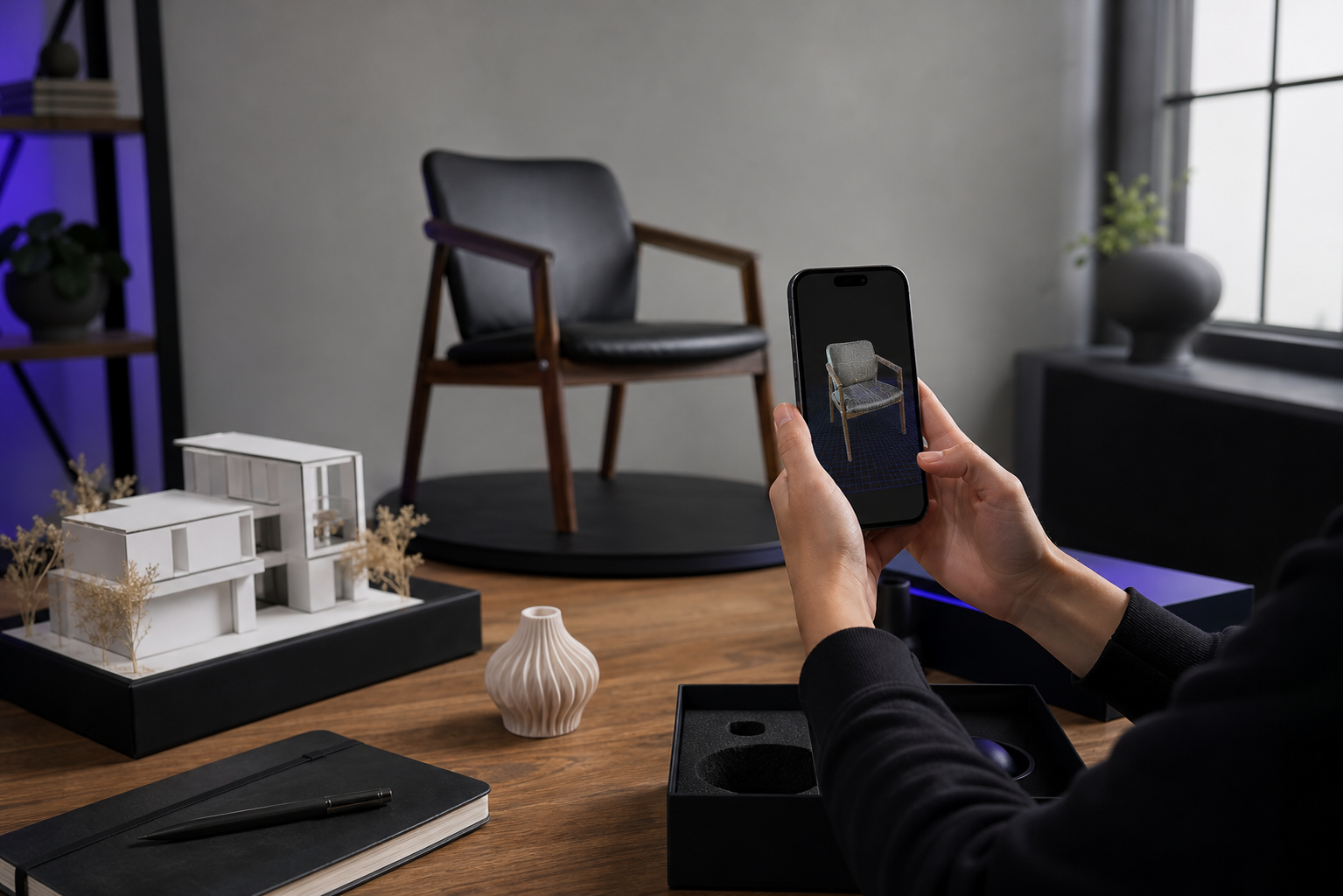
iPhone 15 Pro held in landscape orientation in a bright loft interior, screen showing a live ARKit mesh overlay in cyan wireframe covering a wooden chair and table; small UI corner shows capture timer and 'Mesh' mode selected. Shallow depth of field,

You searched "3d scanner app free," downloaded the top result, captured your first object, and hit one of these walls — a watermark across your render, a 1MB export cap, a "sign in to continue" modal, or a processing queue that hasn't moved in 14 hours. The capture worked. The file you needed never arrived.

In the 2026 mobile 3D scanning market, "free" is a marketing position, not a product description. The real distinction is which monetization mechanism the app uses to recover its costs — subscription, export gating, cloud queue throttling, data harvesting, or per-export micro-payments — and whether that mechanism breaks your specific workflow. An app that lets you scan but charges €1 per OBJ export is structurally a subscription. An app that processes scans for free but takes 190+ hours to return them is structurally a subscription with extra patience required.

What follows: the five monetization patterns hiding behind the word "free," a head-to-head of Polycam, Scaniverse, KIRI Engine, RealityScan, Luma AI, Qlone, and Voxelio with specific dollar figures and limits, a red-flag checklist you can apply at download time, and a persona-based decision matrix. The hardware baseline for serious LiDAR-class work is iPhone 12 Pro or later — the rest of this article assumes that floor.

The Five Ways "Free" 3D Scanner Apps Actually Make Money

Every app marketed as a free 3D scanner has to pay for its servers, its developers, and its app-store fees somehow. The mechanism is rarely advertised, so it pays to recognize the five patterns before you commit your time to a capture workflow.

Subscription-gated exports. The app is free to capture and process, then paywalls the file formats you actually need. According to HP Academy, Polycam is "Free with limitations, approximately $18/month or $100/year for pro features" — and HP Academy explicitly notes that pro export "may be necessary for CAD workflows." A separate comparison by 3DMakerpro cites Polycam Pro at approximately $7.99/month, suggesting tier or regional variance. Either figure tells the same story: exports useful for CAD or production sit behind a wall.

Cloud processing throttling. The free tier processes through a slow queue; the paid tier jumps to the front. HP Academy documents an app whose free version produces "extremely long processing times (190+ hours reported), making the premium version essentially mandatory for practical use." The economics are forced: cloud GPU and CPU time costs real money per scan, so free users get deprioritized. The queue is the paywall.

Per-export micro-payments. Scanning is free, every export costs cash. Bitfab reports that Qlone charges 0.5–1.5 € per .OBJ or .STL export. For a 3D printing hobbyist running 10 prints a month, that's roughly 5–15 € — small individually, structurally a subscription in disguise. Bitfab itself notes this "somewhat undermines our expectations" of a free app.

Format lock-in. The free tier exports only a viewer-format the app's ecosystem owns. KIRI Engine's 2026 guide flags Luma AI as "3DGS-only; no mesh export for Blender/game/print pipelines." The scan is free, but you cannot take it anywhere editable — no Blender, no Unreal, no Fusion, no 3D printer.

Input caps that throttle complexity. The free tier limits per-scan inputs below what real subjects require. KIRI Engine caps PhotoScan at 150 photos per scan; Epic's RealityScan caps photogrammetry at 300 photos per scan. KIRI's own guide notes that "large rooms often need >200 photos for robust reconstruction," which means the cap silently kills certain use cases before you even hit a paywall.

Reframe the test: a 3d scanner app free only counts as free if you can complete a project — capture → process → export → use — without paying, signing in, or queuing. Anything less is a trial wearing a free badge. If you're searching for a truly free 3D scanner app for iPhone, that's the standard that matters.

A 3D scanner app is only free if you can finish a project without paying, signing in, or queuing. Everything else is a trial wearing a free badge.

Polycam vs. Scaniverse vs. KIRI vs. RealityScan vs. Luma vs. Qlone vs. Voxelio — What Each Free Tier Actually Includes

The seven apps below dominate the "free 3D scanner app" search results in 2026. The table pairs each against the dimensions that decide whether a workflow ships or stalls. Every cell traces to a research source.

Two iPhone screens side by side on a clean white surface. Left screen shows a ceramic vase 3D model with a translucent diagonal watermark across it labeled in small text 'Free Tier — Sample'. Right screen shows the same vase rendered cleanly with sha

Free Tier Status & Pricing

AppFree tier statusSubscriptionProcessing model
Polycam"Free with limitations"~$18/mo or $100/yr (HP Academy); ~$7.99/mo (3DMakerpro)LiDAR + cloud photogrammetry
Scaniverse"Completely Free"None reportedOn-device
KIRI EngineFree tier + paid tier~$7/mo or $50/yrPhotoScan + LiDAR (device-dependent)
RealityScan"Cost: Free"None reported in sourcesCloud (heavier, slower)
Luma AIFreeNot specifiedCloud
QloneFree to scanPer-exportOn-device
VoxelioFree, no subscriptionNoneOn-device (ARKit + keyframe baking)

Caps, Exports & Output

AppPer-scan input capFree-tier exportsExport paywallOutput type
PolycamNot specifiedRestrictedYes — pro tier requiredMesh
ScaniverseNot specifiedOn-device 3DGS + meshNo reported paywall3DGS + Mesh
KIRI Engine150 photos/scanUnlimited free-tier exportsNo (free outputs)Mesh
RealityScan300 photos/scanPhotogrammetry outputsNo clear paywallMesh
Luma AINot specified3DGS onlyN/A (no mesh)3DGS only
QloneNot specifiedNone freeYes — 0.5–1.5 €/exportMesh
VoxelioNo cap (on-device)OBJ, USDZ, PLY, HEVC + posesNoMesh, point cloud, pose+video

Sources: HP Academy; 3DMakerpro; KIRI Engine; Bitfab; Google Play – Scaniverse.

A subscription hidden behind a watermark is still a subscription. You cannot sell a watermarked 3D model, and a free tier you cannot ship from is not free — it is a paid trial in disguise.

Read the table by use-case lens rather than top to bottom. For exports that import "cleanly into CAD software like Fusion" — HP Academy's benchmark for a usable engineering output — the free tier needs OBJ or STL without watermark or paywall. Polycam and Qlone fail this test. KIRI Engine passes for mesh workflows. The free-tier output from Voxelio passes with OBJ and USDZ in full resolution.

For visualization-first work — AR previews, social media, marketing renders — Scaniverse's on-device Gaussian splatting is a credible free option per its Google Play listing, though 3DMakerpro positions it as best for "AR experiences and social media visuals" rather than precision meshes. Luma AI is free but locked to 3DGS — useless for downstream editing in Blender, Unity, or any CAD package.

For research workflows that require camera poses, none of the photogrammetry-first apps export frame-accurate per-frame poses. Voxelio's Pose+Video mode is the only free option in this comparison that exports HEVC video synchronized with camera poses — a structural gap the other apps do not address at any tier.

On Polycam's pricing inconsistency ($18/mo per HP Academy vs $7.99/mo per 3DMakerpro), the honest read is that the apparent figure varies by date, platform, or promotion. Over a year, the cost of escaping the free tier sits somewhere between roughly $100 and $216 — a meaningful annual line item if you're a freelancer or small studio. Whichever number is current, professional export is not free.

The structural pattern across this entire table: every app that runs cloud processing eventually charges a subscription (Polycam, RealityScan partially, Luma). Every app that runs fully on-device can afford to remain free (Scaniverse, Voxelio, KIRI's LiDAR mode). That is not coincidence — it is the economic constraint that defines the category. For anyone evaluating the best iPhone 3D scanner app for architects, makers, and e-commerce sellers, that constraint is the single most reliable predictor of whether free stays free.

Why On-Device Processing Is the Only Way "Free" Survives Long-Term

The reason cloud-based free tiers eventually impose paywalls is not corporate appetite — it is unit economics. Cloud photogrammetry requires GPU server time, storage, and bandwidth for every scan a user submits. Each new free user adds marginal cost. The math forces a subscription.

In a 2024 interview, KIRI Engine's CEO Jack stated that the company "only charge money for [their] unique stuff" and that limiting basic scanning and export "doesn't help [them] make more money." That economic logic only works because most of KIRI's cost goes to advanced features rather than baseline processing. Apps whose entire product runs in the cloud — every scan, every reconstruction, every export — cannot escape per-user marginal cost no matter how they price the tier.

On-device processing is a different category. The cost of processing a scan on your iPhone is borne by your battery, your storage, and Apple's Neural Engine — not by a vendor's server bill. That difference compounds into six specific advantages that matter once you start shipping real work.

Close-up of iPhone 15 Pro held vertically in a user's hand, capturing a 3D scan of an industrial valve on a workbench. Screen shows real-time mesh growing in colored polygons over the valve; the device is clearly disconnected from WiFi (airplane mode
  1. No cloud queue, ever. Processing finishes when the iPhone finishes, not when a vendor's queue clears. The 190+ hour wait times documented by HP Academy are categorically impossible on-device. Your scan is done when the capture session ends.
  2. No account, no upload, no data retention. Spatial scans of homes, products, and worksites stay on the device. There is no privacy surface area to monetize because the data never leaves. Compliance conversations for client sites and proprietary prototypes become far shorter.
  3. Unlimited exports at full resolution. OBJ, USDZ, and PLY at uncompressed full resolution, no watermarks, no per-export fees — because there is no marginal server cost per export for the vendor to recover.
  4. Works in airplane mode. Construction sites with no signal, basements, rural fieldwork, faraday-shielded environments, secure facilities. Cloud-dependent apps fail in all of these contexts. On-device pipelines do not care.
  5. ARKit mesh reconstruction runs in real-time on iPhone 12 Pro and later. The LiDAR sensor and Apple Neural Engine handle reconstruction at capture time — no post-processing wait. KIRI's guide notes that Scaniverse's on-device pipeline delivers "fast turnaround" but "can be less consistent than heavier pipelines." That's the honest tradeoff: on-device is faster and free, but heavy cloud photogrammetry can win on smooth or low-feature objects. For most architecture, product, and interior work, on-device is the better default. For deeper context on how this works under the hood, see SLAM 3D scanning.
  6. Keyframe texture baking happens locally. Texture quality is bound by the device camera and the app's baking pipeline — not by what tier you pay for. The free output is the only output.

None of this is ideology. It is an engineering tradeoff with real consequences in both directions. Cloud photogrammetry can produce stronger reconstructions on certain textured objects with rich surface detail — KIRI's guide makes exactly that point about RealityScan's strengths on textured subjects versus its weaknesses on smooth, low-feature objects. The point of distinguishing on-device from cloud is not to declare one universally superior. It is to explain why some apps must charge and others can choose not to.

The honest framing: cloud apps charge because their server bill is real and recurring. On-device apps do not have that bill, so charging would be optional. A 3d scanner app free that runs entirely on your iPhone can stay free indefinitely without losing money on every user it acquires. That structural difference is what separates a sustainable free tier from a freemium funnel waiting to tighten.

Mapping Capture Modes to Real Jobs — E-commerce, CAD, Architecture, Research

Capture technology only matters if it solves a specific job. The four persona blocks below map common workflows to the modes and formats that finish them, with honest notes on which competitors fit and which create friction.

Real estate agent in business-casual attire standing in an empty mid-century living room, holding iPhone at chest height and slowly rotating to capture the space. Phone screen visible showing a 3D mesh of the room building up in real-time with warm-t

If You Sell Products on Shopify, Amazon, or Etsy

  • Need: Clean USDZ for AR Quick Look, OBJ with PBR textures, no watermark, fast turnaround across many SKUs. A 3d scanner app free that produces watermarked output is useless here — you cannot publish a watermarked product render to a Shopify storefront.
  • Voxelio: Mesh mode produces textured OBJ and USDZ exported on-device, unlimited, no watermark.
  • What competitors do: Polycam requires the pro tier ($18/mo or $100/yr per HP Academy) to unlock professional-grade exports. Qlone charges 0.5–1.5 € per .OBJ export per Bitfab — at 50 SKUs/month, that's roughly 25–75 € monthly in pure export fees. Scaniverse is free but positioned by 3DMakerpro for "AR experiences and social media visuals" — credible for marketing, less so for catalog precision. For volume sellers, the right iPhone 3D scanner app for e-commerce sellers is one with no per-export cost at all.

If You Reverse-Engineer Parts for CAD or 3D Printing

  • Need: STL or OBJ that imports "cleanly into CAD software like Fusion" (HP Academy's stated benchmark), dimensional accuracy, point-cloud option for hard surfaces and reference geometry.
  • Voxelio: Mesh mode for OBJ, Point Cloud mode for colored PLY with spatial fusion — centimeter-level precision via LiDAR plus ARKit mesh reconstruction.
  • What competitors do: KIRI Engine is the strongest free competitor for this workflow. KIRI's own guide positions it as "the most practical free-tier pick" for mesh workflows, with the 150-photo per scan cap as the main constraint on object complexity. Qlone gates STL behind per-export fees, which destroys iteration speed when you're tuning a print across multiple revisions. Polycam can produce CAD-grade outputs but only after the subscription clicks in.

If You Capture Interiors or Job Sites (Architecture, Real Estate, Construction)

  • Need: Large-scale spatial coverage, multi-room scans, textured walls, fast on-site turnaround, ability to work in environments with poor or no connectivity.
  • Voxelio: MultiCam mode fuses multiple camera angles into a single model; Mesh mode for textured OBJ/USDZ; the entire pipeline runs offline on-site.
  • What competitors do: Scaniverse handles "quick room scans and simple AR previews" on-device per 3DMakerpro — a legitimate free option when AR visualization is the deliverable. Polycam is feature-rich for spaces but free-tier limits push serious work to subscription. RealityScan can handle large scenes but is cloud-bound at up to 300 photos per scan per KIRI's guide — slow turnaround on site, and useless without connectivity. For a free 3D scanner pipeline that survives a basement, a remote build site, or a faraday-shielded interior, on-device is the only architecture that works.

If You Work in Computer Vision Research (NeRF, SLAM, Photogrammetry)

  • Need: Frame-accurate per-frame camera poses, raw point clouds with confidence metrics, video synchronized with extrinsics that downstream pipelines can consume directly.
  • Voxelio: Pose+Video mode exports HEVC video with frame-accurate camera poses; Point Cloud mode exports colored PLY with spatial fusion.
  • What competitors do: None of the free apps surveyed in the research export this combination. Photogrammetry apps (KIRI PhotoScan, RealityScan) produce reconstructions but not the raw pose data NeRF and SLAM pipelines consume as input. Scaniverse and Luma AI produce visualizations, not pose streams. This is the use case where the field of "free 3D scanner" options effectively shrinks to one structural fit — no competitor in this matrix solves it at any tier.

Eight Red Flags That a "Free" 3D Scanner App Will Cost You Later

The patterns below repeat across the freemium 3D scanning category. Any single flag is a yellow light. Two or more is a freemium funnel dressed as a free tool. Use this as a download-time checklist.

Red flag 1: The only export option is the app's own viewer or proprietary format. This is Luma AI's pattern per KIRI Engine's 2026 guide — 3DGS-only output, no mesh export to Blender, Unity, Unreal, or 3D printing. The scan is free, but you can never leave the ecosystem. The output has no portable identity.

Red flag 2: Export quality drops measurably between free and paid tiers. When the same scan produces a 1MB watermarked file on the free tier and a 50MB clean file on the paid tier, you are not paying for processing — you are paying for the file the processor already made. The compute happened either way.

Red flag 3: An account is mandatory before the first scan. Account walls exist to enforce subscription quotas later and to attach scans to a user identity for retention or resale. A truly free app — one that processes entirely on your device — does not need an account, because it does not need to track anything server-side.

Red flag 4: Free exports are watermarked. This kills professional use immediately. You cannot publish a watermarked USDZ to a Shopify AR Quick Look storefront, you cannot send a watermarked OBJ to a fabrication client, you cannot include a watermarked render in a portfolio submission. A 3d scanner app free whose only output carries a vendor watermark is selling the removal of that watermark — the scanner is the lead magnet.

Red flag 5: Free-tier processing time is measured in days, not minutes. HP Academy documented an app where free users wait 190+ hours for processing. That is queue manipulation — a structural push toward subscription, presented as a technical limit. The processing finishes faster on paid not because the algorithm differs but because the queue position differs.

Red flag 6: Per-scan input caps below real-world subject complexity. KIRI's 150-photo cap and RealityScan's 300-photo cap are reasonable for object scanning but constrain large rooms or detailed environments — KIRI's guide explicitly notes that "large rooms often need >200 photos for robust reconstruction." Read the cap before you trust the free label. If the cap is below your subject's complexity, the tier is irrelevant.

Red flag 7: Every export costs money — even after capture is free. Qlone's 0.5–1.5 € per .OBJ/.STL export per Bitfab is the canonical case. Bitfab itself notes this "somewhat undermines our expectations" of a free app. For a hobbyist running a few scans a year, the math is tolerable. For anyone shipping work in volume, it is a subscription with extra friction baked in — and the friction compounds, since each export decision becomes a micro-purchase decision.

Red flag 8: The privacy policy is vague about retention of uploaded scans. When a scan of your home, your client's office, or your product prototype lives on a third-party server, the cost of "free" includes that exposure. Vague retention language often means scans are used for training, resale to data partners, or indefinite storage. On-device apps eliminate this surface — there is no upload, so there is no policy to read carefully.

Any one of these flags is survivable. Two or more, and the free 3D scanner app you downloaded is a freemium funnel that has not finished charging you yet. Treat the list as a sieve before you commit a project's worth of capture time to a pipeline you may not own.

Your Workflow → Your App — The Persona-to-App Decision Matrix

The matrix below maps five common personas against the seven apps in this comparison. Each cell uses three states: Fit (the free tier covers the workflow end-to-end), Partial (works with friction — watermark, cap, or feature gap), or Gap (the workflow cannot be completed in the free tier). Every cell rationale traces to the comparison data in the earlier table.

E-commerce, Architecture, CAD

PersonaVoxelioPolycamScaniverse
E-commerce seller (USDZ/OBJ, no watermark)Fit — unlimited USDZPartial — pro tier for clean exportPartial — visualization focus
Architect / interior captureFit — MultiCam, offlinePartial — sub for fullFit — on-device rooms
CAD / reverse-engineeringFit — OBJ + PLYPartial — export paywallPartial — visualization
CV / robotics researcherFit — Pose+Video, PLYGap — no pose exportGap — no pose export
3D printing hobbyistFit — unlimited OBJPartial — free-tier limitsPartial — mesh available

KIRI, RealityScan, Luma, Qlone

PersonaKIRI EngineRealityScanLuma AIQlone
E-commerce sellerFit — unlimited meshPartial — cloud queueGap — no meshGap — paid per export
Architect / interiorPartial — 150-photo capPartial — slow cloudGap — 3DGS onlyGap — object-focused
CAD / reverse-engineeringFit — mesh workflowPartial — cloud-boundGap — no meshPartial — per export
CV / robotics researcherGap — no pose exportGap — no pose exportGap — no pose exportGap — no pose export
3D printing hobbyistFit — unlimited freePartial — slow cloudGap — no meshGap — paid per export

Read the matrix as a directive, not a recap.

E-commerce sellers: the highest-volume free path is unlimited textured USDZ/OBJ from an on-device pipeline, with KIRI Engine as a credible photogrammetry-driven alternative. Polycam works if you accept a $100–$216 annual line item; Qlone collapses at SKU volume because every export carries a fee.

Architects and interior designers: MultiCam-style multi-angle capture combined with offline processing matches field conditions where connectivity and time are both unreliable. Scaniverse is a credible free alternative when the end product is AR visualization rather than a precise editable mesh. Polycam and RealityScan can both deliver the geometry but either charge for it or stall on cloud queues.

CAD engineers and makers: two free options finish projects end-to-end — LiDAR-driven precision with point cloud export on one side, and KIRI Engine's photogrammetry-driven mesh workflow on the other. Choose by subject: LiDAR wins on hard surfaces, mechanical parts, and rooms; photogrammetry wins on richly textured organic objects. For the broader landscape of options, see our roundup of the best iPhone 3D scanner app across professional workflows.

CV and robotics researchers: only one free tier in this entire comparison exports frame-accurate camera poses synchronized with HEVC video. The other six apps do not solve this problem at any pricing tier — paid included. If your pipeline consumes pose data as input, the choice is structural rather than preferential.

3D printing hobbyists: unlimited free exports come from Voxelio and KIRI. Pick by capture style — LiDAR for hard surfaces and rooms, PhotoScan for organic objects with rich texture. Avoid pay-per-export apps unless your scan volume is genuinely a handful per year.

The decision rule, stated plainly: if an app requires a subscription, an account, or cloud processing to produce a file you can use in your actual workflow, it is not a free 3D scanner app. If it does not, it is. The best free 3D scanner app for iPhone in 2026 is the one whose free tier ends with a file on your device — not a watermark, not a queue position, not a checkout screen. iPhone 12 Pro or later, no subscription, no account, no upload. Capture, export, ship.